Getting into a new hobby can be daunting. Enthusiasts brag about spending thousands on fancy bits of equipment, while you’re still trying to figure out if you’re going to stick with it long-term.
Thankfully, you can start tinkering and making things for a relatively small investment these days.
You can buy a cheap 3D printer brand new for a few hundred dollars, or spend a comparable amount on a used model to get even more bang for your buck. Buying used is arguably the best way to go, since you always have the option of selling the printer for the price you paid (or slightly less) to trial the hobby risk-free.
Admittedly, 3D printing feels less like a hobby and more of a means to an end. Many see it as a way of getting more out of your existing hobbies and equipment like power tools, but it’s hard to deny that the act of creating physical items from digital files really gets under your skin.
ELEGOO Centauri Carbon 2 Build Volume 256 × 256 × 256 mm Connectivity Wi-Fi The ELEGOO Centauri Carbon 2 builds on the solid foundation of its predecessor and adds an affordable, effective multicolor system to the mix.$449 at Amazon
Bambu Lab P2S Build Volume 256x256x256mm Printing Speed 600mm/s The Bambu Labs P2S 3D printer is ready to go out of the box and can have you printing within 15 minutes. It features up to 20-color printing with the AMS unit, has an upgraded built-in camera for remote monitoring and time lapses, and has an enclosed body for printing even high-temperature filament.$549 at Bambu Lab$549 at bhphotovideo$550 at Micro Center
Microcontroller-based electronics
Projects start at $5
Espressif’s microcontrollers, particularly the ESP32 and its predecessor the ESP8266, have made hobbyist electronics accessible to a wide audience. Starting at $5 or less, the ESP32 is the perfect starting point for DIY smart home sensors, interactive toys, and even E-Ink projects like photo frames.
Seeed Studio XIAO ESP32C3 Brand Seeed Studio The Seeed Studio XIAO ESP32-C3 is the perfect budget-friendly microcontroller for smart home projects. With Wi-Fi and Bluetooth built-in, it also features a super deep sleep mode for low power usage when it isn’t doing anything. The compact size makes this ideal for building smart home projects, and ESPHome allows it to easily integrate into Home Assistant.$5 at Seeed Studio$10 at Amazon
Seeed Studio XIAO ESP32-C6 Brand Seeed Studio The Seeed Studio XIAO ESP32C6 is the perfect microcontroller for your next smart home project. The built-in Zigbee and Thread radios compliments Matter support. Plus, with Wi-Fi 6, it’ll easily connect to modern wireless networks. $5 at Seeed Studio$12 at Amazon
Laser engraving
Start charging your laser (to a payment method of your choice)
I’ll admit that I don’t know a lot about laser engraving, but I have a colleague who does. How-To Geek’s Patrick Campanale has quite a bit of experience in the space, having used and owned many (he even had to build three of them himself).
You can make all sorts of unique, useful, and memorable items with a laser engraver. It’s a great way to personalize items for gifting, stamp your mark on something for your own home, or even start or augment a small business. Today’s laser engravers are so small and easy to use you can even take them with you to markets and fairs and offer engraving for an additional fee.
xTool F1 Brand xTool Laser Power 10W blue light diode, 2W IR The xTool F1 dual source laser engraver is a great portable system for beginners and pros alike. It has a 10W blue light diode laser, which works well on materials such as cork, wood, leather, and more. There’s also a 2W IR laser that’s perfect for marking metals and slate.$1099 at xTool$1700 at Amazon
LaserPecker LP4 Brand LaserPecker Laser Power 10W blue light, 2W IR The LaserPecker LP4 laser engraver offers a wide range of marking and engraving capabilities. With a dual laser source design, it features a 10W blue light diode and a 2W IR laser to mark all sorts of materials, from wood and rock to metals and plastics. $1300 at Amazon
Building a smart home
Use hardware you already have lying around
I put off starting a smart home for a long time due to the perceived cost, but that was before I realized that Home Assistant was the way to go. As someone who uses an iPhone, Mac, and Apple Watch, I thought that Apple Home would be the best choice. Thankfully, the cost of Apple’s approved accessories delayed my adoption.
When it comes to kitting out your home, there are companies like IKEA that sell surprisingly affordable plugs, lights, and sensors. You can build your own sensors for cheap using aforementioned ESP32 microcontrollers. The platform’s commitment to openness and interoperability means you can shop around for accessories at a price that won’t make you wince.
Raspberry Pi 4 Model B Brand Raspberry Pi CPU Cortex-A72 (ARM v8) With the Raspberry Pi 4 Model B, you can create all kinds of fun projects, and upgrade gadgets around your home. Alternatively, install a full desktop OS and use it like a regular computer.$38 at CanaKitSee at Amazon
Home Assistant Green Dimensions (exterior) 4.41″L x 4.41″W x 1.26″H Weight 12 Ounces Home Assistant Green is a pre-built hub directly from the Home Assistant team. It’s a plug-and-play solution that comes with everything you need to set up Home Assistant in your home without needing to install the software yourself. $219 at Amazon
Home Assistant Connect ZBT-2 Dimensions (exterior) 83x83x179mm Weight 157g The Home Assistant Connect ZBT-2 supports both Zigbee and Thread, although it must be set up for use with either one of the two protocols. It offers 4x the responsiveness of the previous model, and is designed to be easy to open for modding, with accessible pins and pads.$65 at Amazon
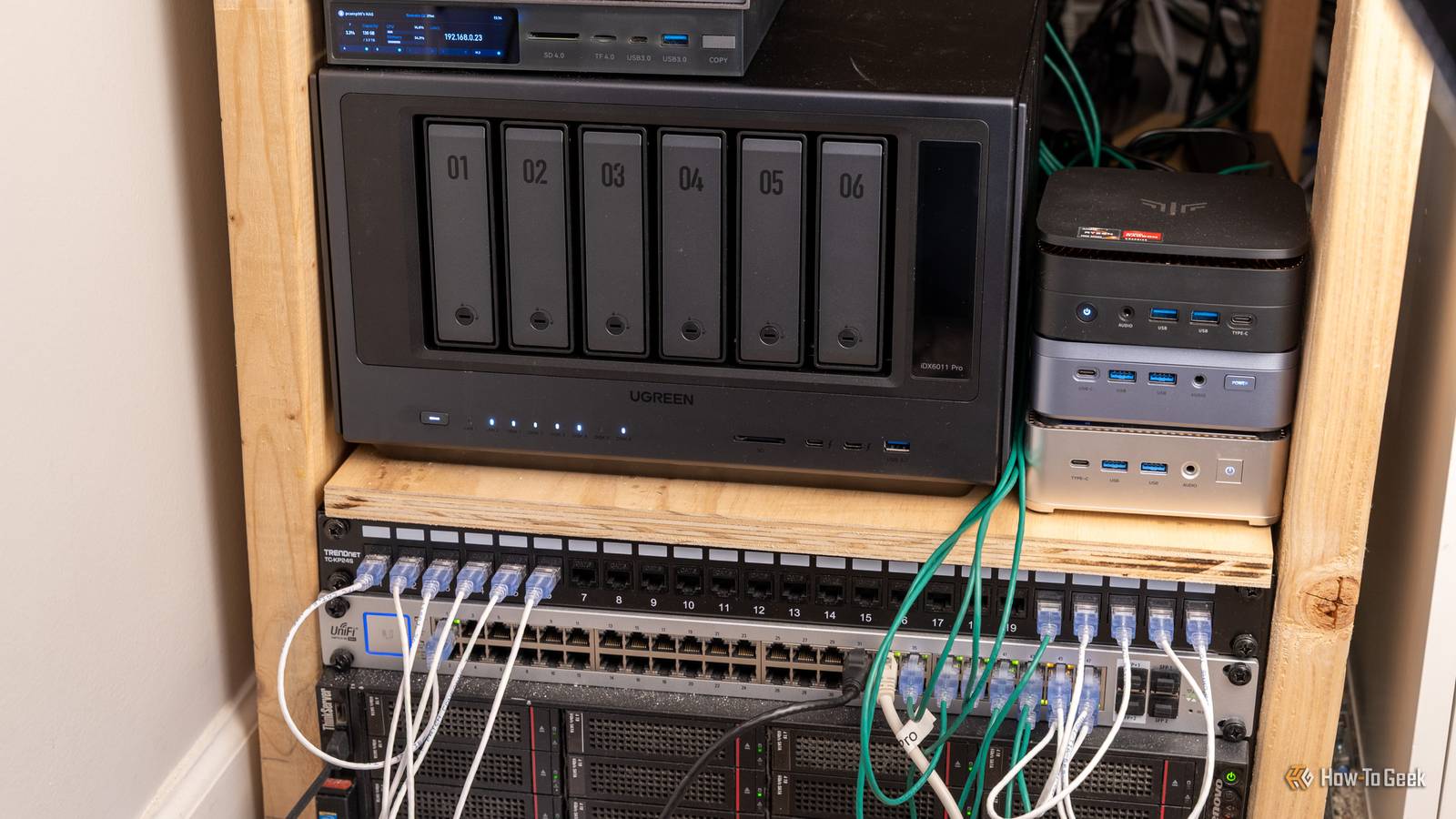
Homelab projects include running a DNS sinkhole like Pi-hole, creating a network-attached storage (NAS) drive, making media available over the network using server software like Plex or Jellyfin, and replacing remotely hosted services with ones that you run on your own in-house hardware. The key is that your homelab should always be running, online, and accessible at all times.
It’s hard to justify spending a lot of money on a new hobby, and thankfully you don’t have to. Many of the resources that can help you develop these hobbies can also be had for cheap or free, like 3D modeling software and the endless number of ESP32 build guides on the web.
Adam has a degree in Engineering and has a life-long interest in technology. He has been writing for over a decade for various print and online publications, with a focus on consumer tech. He joined How-To Geek in 2024 while working at Pocket-lint. As well as being a long-term fan of Apple products, he also has a strong interest in smart home tech, running a Home Assistant server at home to automate all his smart home devices. He believes that the ideal smart home should work with minimal interaction from the user, with automations running as if by magic rather than requiring you to push buttons on a control panel. You can find more of his work on Muck Rack.
Here is a fact-based summary of the story contents:
Self-hosting is really a hobby in itself. Once you get the bug, it’s hard to stop adding more and more self-hosted services or spending even more money on your home lab setup. Self-hosting also makes several hobbies possible that wouldn’t really work without it.
When Netflix first appeared, it was great. There was one streaming service where you could access a huge selection of shows and movies for a single subscription. It was too good to last; more and more streaming services started to pop up, and now it feels like you need about 12 subscriptions if you want to be able to access all the best shows and movies.
Even worse, streaming services can pull content at the drop of a hat. A show you loved might suddenly no longer be available on your streaming subscription if it moves to another platform or gets dropped completely.
Self-hosting with apps such as Plex or Jellyfin allows you to create your own Spotify or Netflix using your personal media collection. The beauty is that since you’re hosting the content yourself, no one can take it away or block you from accessing it. That show you love will always be available for you to watch, and in addition to shows and movies, you can self-host audiobooks, podcasts, eBooks, and more.
Plex Pass
Compatibility Windows, Linux, macOS, Android, iOS, and various other devices Free Trial Period Free account available
A Plex Pass subscription takes your media server to the next level, with remote streaming, hardware transcoding, offline downloads, and more.
Smart home ecosystems like Alexa offer a lot of convenience, but that convenience comes at a price. Even if the service is free (and some major platforms such as Alexa are planning to charge for access to some features), you’re still reliant on cloud services. Things you say to your smart speakers can end up on cloud servers and may even be listened to by contractors.
There are local alternatives. By self-hosting software such as Home Assistant, it’s possible to build a smart home that can run completely locally, with none of your data needing to leave your home network if you don’t want it to. Related
I really miss Dark Sky. The discontinued hyperlocal weather app was the best one I’ve ever used, and its weather alerts were spookily accurate. Nothing these days can quite match it.
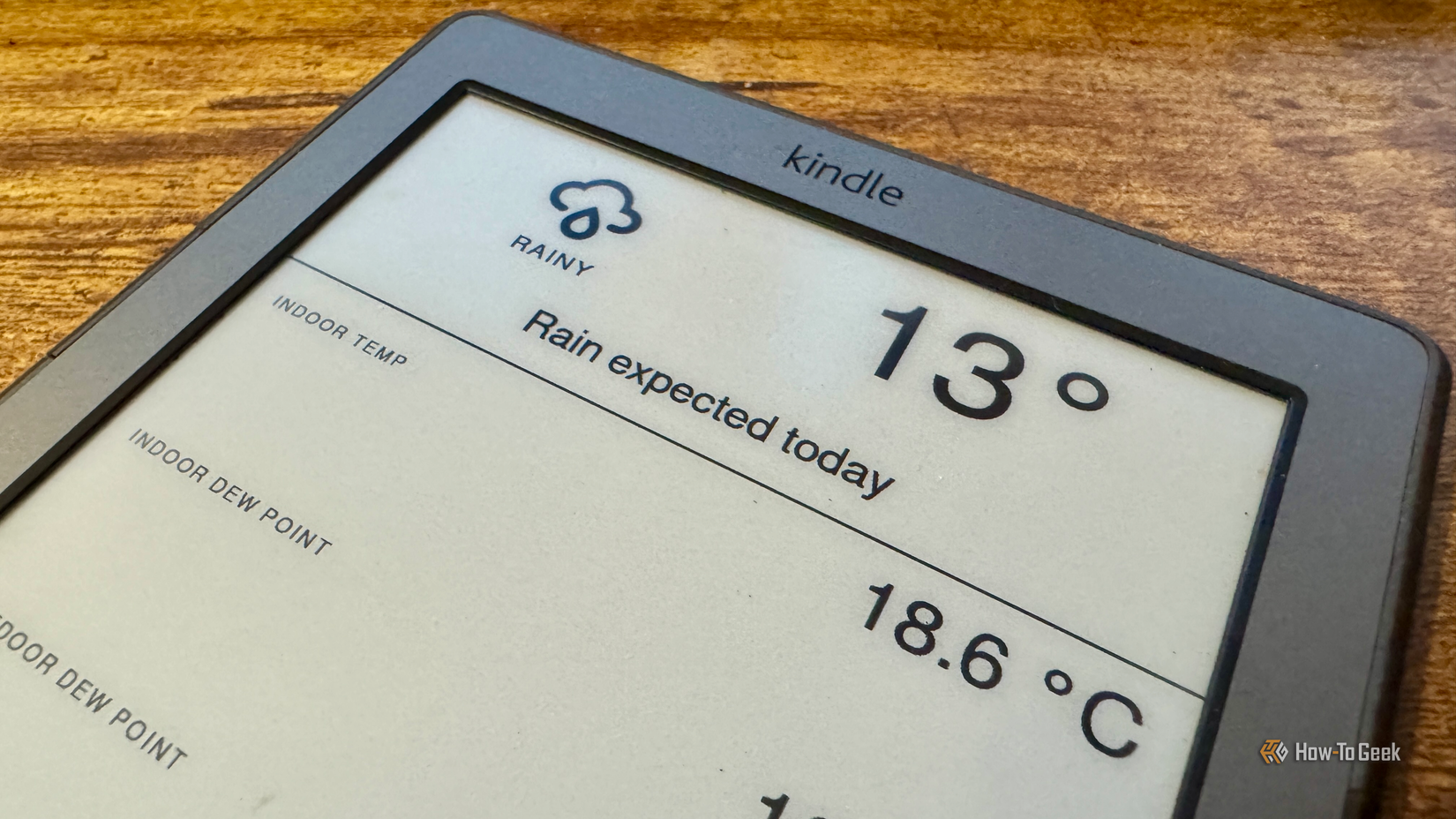
If you want truly hyperlocal weather, you can set up your own weather station. All of the data can be saved to your local server, and you can build automations to alert you when it’s raining or to have your heating turn off when the sun is shining. You can track things such as temperature, rainfall, humidity, wind speed, air pressure, and more, find historical trends, and even create your own hyperlocal short-range weather forecasts.
Online gaming is fun, but playing online with strangers on the other side of the planet isn’t always as much fun as playing privately with friends and family. A great way to control who you play with is to host your own private game server.
Hosting your own server for games such as Minecraft, Terraria, and Valheim means that you don’t just get to control who can join the server. You also get to control the world, the settings, the mods, the player permissions, and more. Maintaining your server becomes part of the fun, with so many different options to tweak and mods to install.
Self-hosting doesn’t have to be solely about technology. You can self-host services that can help you interact with the outside world, too.
If you have security cameras, you can use them with software such as Frigate to detect a wide range of wildlife. Not only can you record video when motion is detected outside your home, but the software can even identify different types of animals.
Vision isn’t the only option. With a microphone in your garden, you can listen for birdsong, and your self-hosted software can identify thousands of different birds based purely on what it hears.
The internet feels like it should last forever, but that isn’t the case. Website content and even entire websites disappear all the time. GeoCities websites, Google+ accounts, much of the music once hosted on MySpace, and content from many other once-popular sources have long since disappeared.
Data hoarding allows you to save content from the internet before it’s gone. You can turn this data into your own searchable personal library, ensuring that information is still available even if the original site closes or replaces the content.
AI is a tool, but running local LLMs has become something of a hobby in itself. Instead of using ChatGPT or another cloud-based AI, you can use open models that you run on your own hardware.
There are multiple benefits to using a local LLM. You don’t need to pay any subscription fees or worry about usage limits, and you’re not at the whims of an AI provider, which can remove your favorite model whenever it feels like it. You also don’t have to share your personal data with these companies; everything stays on your own hardware.
There’s something incredibly satisfying about setting up your own local self-hosted service to help you enjoy a hobby. Whether you just want to stream your movie collection at home or you want to find out when swifts return to your garden, self-hosting can make it happen.
Prescreened American travelers get access to a dedicated TSA PreCheck lane, available at more than 200 U.S. airports and make up about 34 percent of all screened travelers at TSA checkpoints. “It might not be at a really, really small regional airport, but I can’t think of an airport where I haven’t seen it,” says Sally French, a frequent traveler and travel spokesperson at NerdWallet. A TSA spokesperson says that approximately 280 million passengers are screened through TSA PreCheck lanes annually.
ARTICLE CONTINUES AFTER ADVERTISEMENT
The program application includes an in-person appointment involving fingerprinting, document verification, a photo and payment. Initial enrollment costs between $77 and $85, depending on the enrollment provider, which covers five years of TSA PreCheck. Global Entry includes PreCheck, plus expedited customs processing, for $120 and a more in-depth application process.Uniformed service members get free TSA PreCheck with their U.S. Department of Defense ID number, with no enrollment necessary as do Gold Star family members who’ve lost loved ones in military service. DHS also recently rolled out a buy one TSA PreCheck, get one for $15 for families.
Benefits of TSA PreCheck
Now that shoe removal is no longer a perk, here are the remaining key benefits:
Decreased wait time. The PreCheck line is typically shorter than the main security line — in some cases, vastly so. According to TSA, 98 percent of PreCheck travelers wait 10 minutes or less, as opposed to 30 minutes or less, on average, in the regular line.
Clothing items can stay on. This includes light jackets and belts.
Items stay in your bag. There is no need to pull out and separately scan electronics or your clear quart-size container of liquids. However, those liquids still need to be 3.4 ounces or less.
Access to new screening innovations. TSA often introduces them via PreCheck. A recent example: The touchless ID lanes that use facial recognition for faster ID verification is available in 10 locations and growing.All this comes with the TSA caveat that expedited screening is not guaranteed.
How much longer will these benefits be exclusive to TSA PreCheck?
It’s hard to say. At the news conference announcing the change in shoe policy, Noem said changes could happen within six to nine months.“I think it was time to evaluate the shoes-off policy,” says Jeffrey C. Price, aviation and aerospace science professor at Metropolitan State University of Denver. “Modern passenger screening technology, such as magnetometers and millimeter wave imaging devices — the big body imagers that look like phone booths or Dr. Who’s the Tardis — can detect prohibited items at the floor level.”
But liquids are a different story. The technology is available, in the form of computed tomography (CT), “basically medical-grade CAT scans,” Price says, and the TSA spokesperson says that they’re currently deployed at 281 of the nation’s 435 federalized airports. Travelers in these airports already benefit from not having to remove liquids and electronics from bags, even in the regular screening line.
Price estimates it would take five to 10 years to deploy them in all commercial service airports. “I can’t agree with removing that level of security just yet,” he says, in regards to liquids. No longer removing electronics from bags, however, is a change he would be comfortable with, since the current X-ray technology is better at seeing electronics than they are liquids.
Melanie Fish, Expedia travel expert, calls the end of the shoes-off policy a great first step in streamlining airport security. “But it doesn’t solve everything,” she says. “Staffing shortages and outdated equipment still create bottlenecks beyond the security line.”
Is TSA PreCheck still worth it?
It depends on your situation. TSA PreCheck may be worth it if:
You travel by air regularly. Fish thinks even one trip a year makes it worth it. “TSA PreCheck is good for five years, so [it] works out to be well under $20 per trip,” she says.
The unpredictability of potentially long lines causes undue stress, anxiety or is simply too annoying. Though if lines are your main issue, you may want to consider Clear, a biometric identity service that basically acts as a front-of-the-line pass, Price says. At $209, the application is more costly than PreCheck, but it’s also available at many large airports and is practically instantaneous. Price also notes that the line reduction may not be as significant for travelers with implants that set off the metal detectors; they’ll still need to go through a body imaging device.
Forgetfulness is an issue. “The odds that you take something out [of your bag] are also odds that you’re going to lose it,” French says.
You can get reimbursed for the cost of the application. “Many travel credit cards offer to cover Global Entry or TSA PreCheck as a benefit for holding the card,” French says — some with no annual fee. “If your credit card covers it, you might as well apply.” The TSA spokesperson says not enough time has elapsed since the shoes-off policy was changed to assess its impact on PreCheck enrollment, but so far it seems to be holding somewhat steady, dipping about 5,000 below its average monthly enrollment of 255,000 in July. “In looking at the three weeks preceding the announcement and the three weeks following, there’s no significant difference in daily enrollment numbers – about a 1 percent decrease,” the spokesperson says, adding that the renewal rate over the life of the program remains nearly 80 percent.
For the record: Fish, French and Price say they will maintain their PreCheck status.
“I still think people will benefit from PreCheck,” Price says. “I know I will.”
Oxygen might seem like a harmless gas because we breathe it every day. However, when oxygen is purified at high concentrations, it can become very destructive. Oxygen therapy is an important medical treatment for patients who need to have supplemental oxygen, but caution must be taken to avoid injury.
In this blog post, we will discuss 11 important safety precautions to take into consideration if you are on oxygen therapy. First, let us discuss 2 critical reasons why you should always handle oxygen carefully.
11 Safety Precautions for Using Oxygen Therapy
The following list includes at-home oxygen therapy safety DON’Ts:
Do not go near open flames – Stay at least 10 feet away from open flames while using an oxygen concentrator or oxygen tank. This includes cigarettes, candles, gas stoves, and fireplaces.
Do not use an electric razor while using oxygen therapy. They are known to put off sparks.
Do not wear synthetic fabrics that can generate static electricity while wearing supplemental oxygen.
Do not use oil or petroleum-based products on your face while using oxygen, since they are inflammable.
The following list contains at-home oxygen therapy safety DOs:
Keep oxygen tanks and cylinders secure at all times. If they fall over, the valve can come loose, and the pressurized oxygen may turn the tank into a dangerous missile.
Place a non-smoking sign in your home or one in each room.
Notify your utility providers and local fire department that you are using oxygen in your home. They can put you on a “top-priority list” in case you lose power.
Keep the service number for your oxygen equipment nearby, in case something breaks. A good idea would be to put a sticker with the customer care number on the equipment and your first-aid box.
Make sure your smoke detectors are all working correctly and replace them with new batteries as soon as they start to get low.
Have a quick escape plan and a fire extinguisher handy in case of a house fire, so you immediately know what to do to prevent panic and confusion.
When not in use, store your oxygen equipment in an area of your house that is far from any sources of heat.
2 Critical Reasons Why Oxygen Should Be Handled Carefully
All at-home medical devices have specific safety measures to avoid injury and potential tragedy. In regard to oxygen therapy, there are 2 main reasons why oxygen should be handled with a similar level of care:
Oxygen is a Fire Hazard
While oxygen itself is not flammable, it supports combustion. In oxygen-enriched environments, materials can ignite more easily and burn more rapidly. Therefore, it’s crucial to keep oxygen equipment away from open flames, heat sources, and flammable materials. The oxygen that comes from an oxygen concentrator or an oxygen tank is of sufficient purity to become a potent fire accelerant, if not handled carefully.
Oxygen is a Medication
Oxygen in high concentrations, such as an oxygen concentrator, must be prescribed by a doctor. The dosage should not be changed, except when instructed by a doctor. Since using too much or too little can cause health complications.
While it is not possible to overdose on oxygen in the same way you can overdose on other types of medication, oxygen at high concentrations and high pressure can cause oxygen toxicity. If you receive much more than required purified oxygen at high pressure for too long, then it may cause damage to your lungs and your central nervous system (CNS). For this reason, it is crucial to ensure that you are using the oxygen flow and level as prescribed by your doctor to supplement your medical needs. If you follow your doctor’s clinical judgment regarding your oxygen therapy, you are not a risk of oxygen toxicity.
Final Thoughts
Oxygen therapy is an important treatment option for people who need additional oxygen due to a medical condition. That said, oxygen is still a form of medication and should be used with caution. By taking the steps above, you will be well on your way to using oxygen in your home safely. Always consult with your healthcare provider or oxygen supplier if you have any questions or concerns about your oxygen equipment or therapy regimen.
Amber recommends Ponderosa Vet Clinic, Woodman and Black Forest Road. Dr. Rick Coufal. She used to work there.I know Rick Coufal. Great vet. He took care of my dogs when he was at Black Forest Vet Clinic. Quite a few years ago.
Estate planning provides for the smooth handling of your assets after death. However, only around 32% of American adults have a will, indicating that most people haven’t taken the appropriate steps to prepare for the management of their estate, according to LegalZoom.
One essential tool for estate planning is a living trust. It allows your assets to bypass the lengthy, costly probate process and maintains your financial privacy.
Since a living trust can be amended or revoked at any point during your lifetime, it also serves as a flexible way to control your assets, avoid family disputes and ultimately provide peace of mind knowing that your estate will be managed according to your wishes.
However, not every type of asset belongs in a living trust. This article will cover the assets you should exclude from your living trust and why.
Including certain assets in a living trust can complicate estate management, trigger tax consequences or negatively impact the asset’s value.
While it’s always a good idea to consult an estate planning attorney for legal advice, consider excluding the following assets to maximize the benefits of your living trust:
1. Retirement Accounts
Retirement accounts like 401(k)s and IRAs can trigger tax consequences if you include them in your living will.
Since your living trust is a separate legal entity, any transfers you make from a retirement account count as a withdrawal. This makes transfers taxable and subject to penalties for early withdrawal.
One way to avoid this issue is to name the living trust as a beneficiary on the retirement account. Any funds in the account transfer to the trust upon your death and are distributed to other beneficiaries according to your will.
2. Health Savings Accounts and Medical Savings Accounts
Health savings accounts (HSAs) and medical savings accounts (MSAs) only offer tax-free growth if you use the money for medical expenses. Therefore, transferring an HSA or MSA to a living trust would cause you to lose this tax protection.
By keeping HSAs outside your trust and designating beneficiaries directly, you can continue to enjoy the tax benefits of your HSA or MSA.
3. Active Bank Accounts
You can include checking accounts or other active financial accounts into your living trust, but there are easier ways to transfer funds to your heirs and bypass the probate process.
For example, you can set up payable-on-death (POD) designated accounts through your bank with primary and secondary beneficiaries who will receive your funds when you die.
This method of transferring funds to your beneficiaries is especially relevant if the majority of your financial assets are in your checking account.
4. Vehicles
Since most people don’t own the same vehicle for a long time, it doesn’t make sense to include yours in your living trust. Doing so adds the hassle of removing it from the trust if you decide to sell the vehicle in the future.
Many states allow regular vehicles to bypass probate, and you can often register cars with a transfer-on-death (TOD) deed to pass on a car directly to a beneficiary.
However, if you own a high-value collectible car, you can consider putting it into a living trust.
5. Life Insurance Policies
Since living trusts are revocable, your policy’s benefits are exposed to creditors should you die with debt. A large policy payout could also trigger estate taxes.
Better alternatives include naming individuals as beneficiaries, or setting up an irrevocable life insurance trust that could better protect your assets and potentially reduce taxes.
6. Uniform Transfers/Gifts to Minors Accounts (UTMA/UGMA)
Uniform transfers (UTMA) and uniform gifts (UGMA) to minors accounts, which make a minor child the owner of the account, are irrevocable. Therefore, they can’t be transferred into a living trust.
While these accounts and living trusts can both be used to pass on your assets to minor children, they have different structures. Living trusts give you more control over your funds, while UTMA or UGMA accounts are fully accessible to the minor once they reach a certain age.
What Should Go in a Living Trust?
On the other hand, many types of assets are more appropriately managed when placed in a living trust. These include:
Houses and other real estate.
Financial assets, such as bond certificates, stock certificates, annuities, certificates of deposit (CDs), and safety deposit boxes.
Valuable personal property, such as art, jewelry, collectible vehicles, and furniture.
Ownership stakes in certain types of businesses like partnerships or LLCs.
Patents and copyrights.
Precious metals.
Putting these assets in a living trust can help save money on probate and streamline the process of distributing your assets to family members and other beneficiaries when you die.
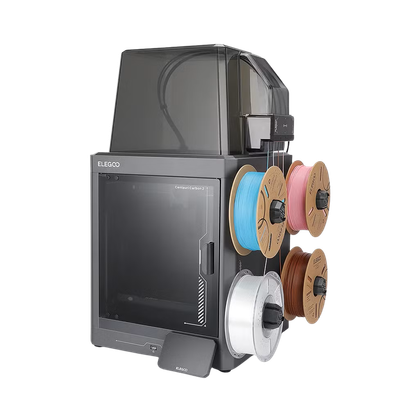 ELEGOO Centauri Carbon 2 Build Volume 256 × 256 × 256 mm Connectivity Wi-Fi The ELEGOO Centauri Carbon 2 builds on the solid foundation of its predecessor and adds an affordable, effective multicolor system to the mix.$449 at Amazon
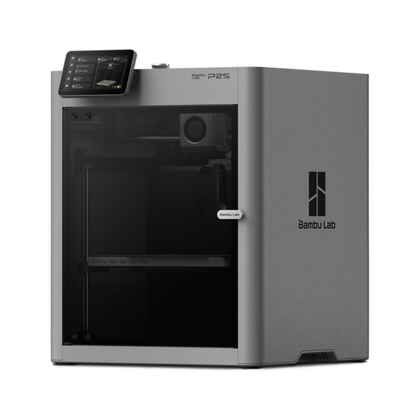 Bambu Lab P2S Build Volume 256x256x256mm Printing Speed 600mm/s The Bambu Labs P2S 3D printer is ready to go out of the box and can have you printing within 15 minutes. It features up to 20-color printing with the AMS unit, has an upgraded built-in camera for remote monitoring and time lapses, and has an enclosed body for printing even high-temperature filament.$549 at Bambu Lab$549 at bhphotovideo$550 at Micro Center
 Seeed Studio XIAO ESP32C3 Brand Seeed Studio The Seeed Studio XIAO ESP32-C3 is the perfect budget-friendly microcontroller for smart home projects. With Wi-Fi and Bluetooth built-in, it also features a super deep sleep mode for low power usage when it isn’t doing anything. The compact size makes this ideal for building smart home projects, and ESPHome allows it to easily integrate into Home Assistant.$5 at Seeed Studio$10 at Amazon
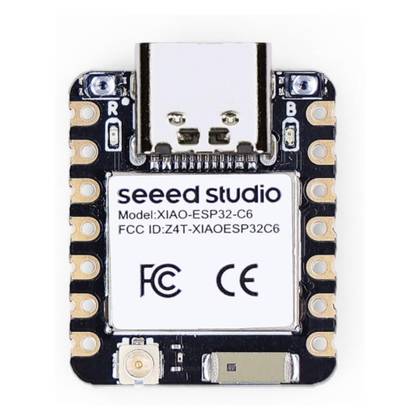 Seeed Studio XIAO ESP32-C6 Brand Seeed Studio The Seeed Studio XIAO ESP32C6 is the perfect microcontroller for your next smart home project. The built-in Zigbee and Thread radios compliments Matter support. Plus, with Wi-Fi 6, it’ll easily connect to modern wireless networks. $5 at Seeed Studio$12 at Amazon
 xTool F1 Brand xTool Laser Power 10W blue light diode, 2W IR The xTool F1 dual source laser engraver is a great portable system for beginners and pros alike. It has a 10W blue light diode laser, which works well on materials such as cork, wood, leather, and more. There’s also a 2W IR laser that’s perfect for marking metals and slate.$1099 at xTool$1700 at Amazon
 LaserPecker LP4 Brand LaserPecker Laser Power 10W blue light, 2W IR The LaserPecker LP4 laser engraver offers a wide range of marking and engraving capabilities. With a dual laser source design, it features a 10W blue light diode and a 2W IR laser to mark all sorts of materials, from wood and rock to metals and plastics. $1300 at Amazon
 Raspberry Pi 4 Model B Brand Raspberry Pi CPU Cortex-A72 (ARM v8) With the Raspberry Pi 4 Model B, you can create all kinds of fun projects, and upgrade gadgets around your home. Alternatively, install a full desktop OS and use it like a regular computer.$38 at CanaKitSee at Amazon
 Home Assistant Green Dimensions (exterior) 4.41″L x 4.41″W x 1.26″H Weight 12 Ounces Home Assistant Green is a pre-built hub directly from the Home Assistant team. It’s a plug-and-play solution that comes with everything you need to set up Home Assistant in your home without needing to install the software yourself. $219 at Amazon
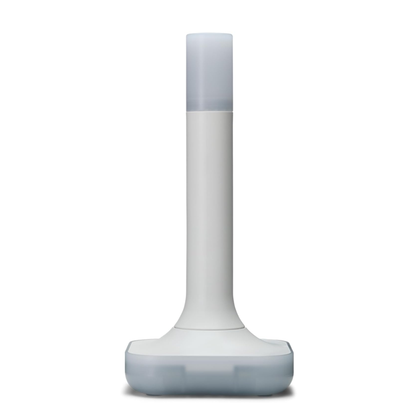 Home Assistant Connect ZBT-2 Dimensions (exterior) 83x83x179mm Weight 157g The Home Assistant Connect ZBT-2 supports both Zigbee and Thread, although it must be set up for use with either one of the two protocols. It offers 4x the responsiveness of the previous model, and is designed to be easy to open for modding, with accessible pins and pads.$65 at Amazon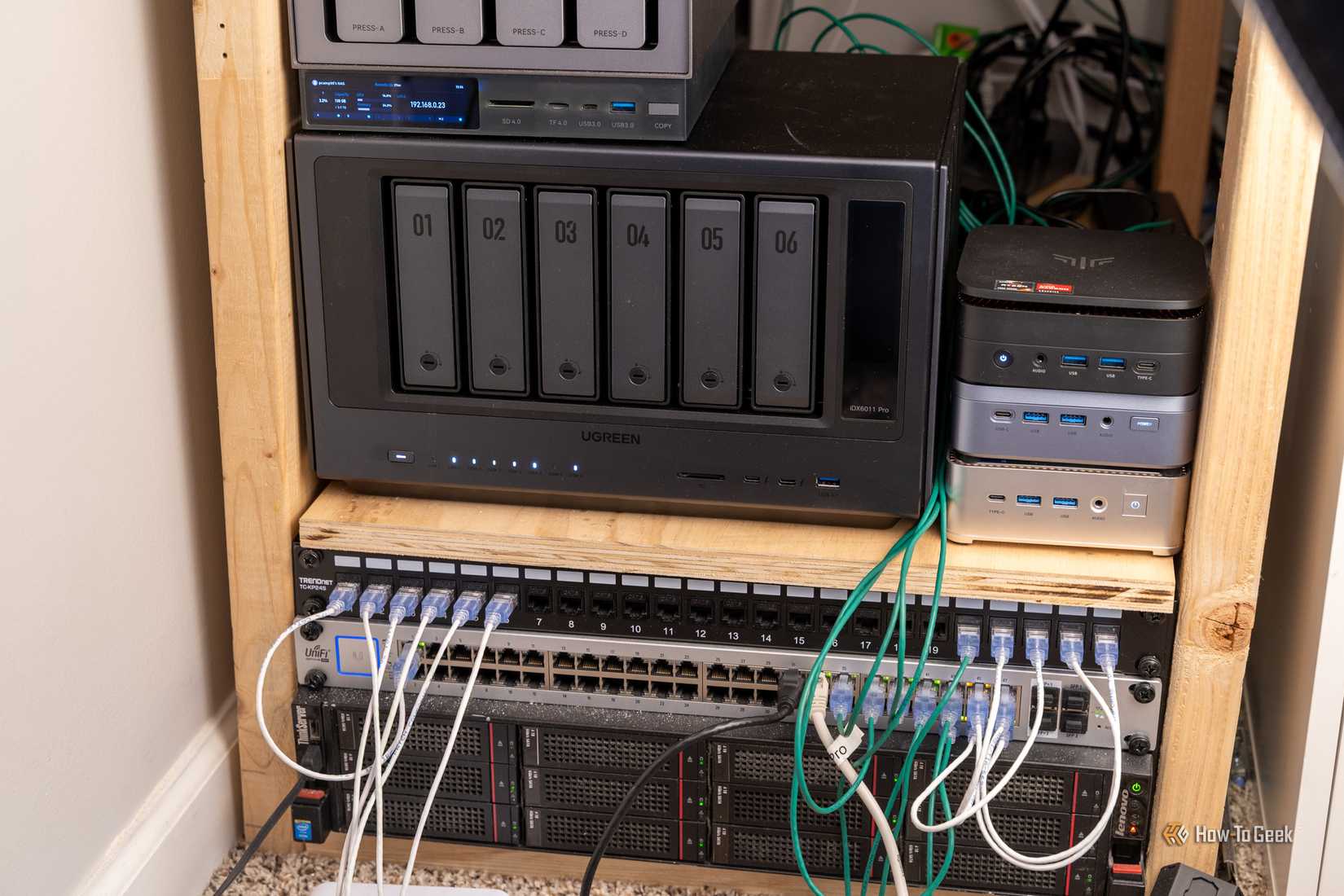







 See more How-To Geek stories on Google. Add us on Google


 Guido How do ring cameras work with frigate? 2026-07-27 01:45:12 1 Copy


